3D Printer
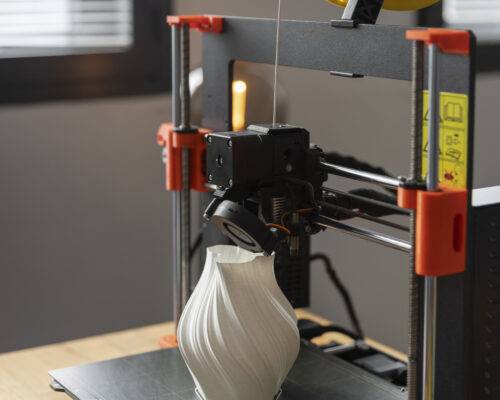
3D printing, or Additive Manufacturing, is the process of creating a three-dimensional object from a digital file by laying down successive layers of material. For students in grades 7 to 10, it is the perfect bridge between digital creativity (art and coding) and physical engineering
1. How It Works: The "Hot Glue Gun" Analogy
The most common type of 3D printer used in schools is FDM (Fused Deposition Modeling). You can think of it like a high-tech, robot-controlled hot glue gun:
-
The Blueprint: You start with a 3D model created on a computer using CAD (Computer-Aided Design) software like Tinkercad or SketchUp.
-
The Slicer: A piece of software “slices” your 3D model into hundreds of thin, horizontal 2D layers.
-
The Build: The printer follows these slices, melting a plastic string (called filament) and extruding it through a nozzle to build the object layer by layer from the bottom up.
2. Core Concepts for STEM Learning
Geometry & Spatial Reasoning: Students must understand X, Y, and Z axes to position objects in a 3D space.
Material Science: Printers use different materials like PLA (made from cornstarch, biodegradable) or ABS (stronger plastic used in LEGOs). Some advanced printers even use metal, carbon fiber, or edible icing.
The Engineering Design Process: 3D printing encourages a “fail fast” mentality. If a part doesn’t fit, students can modify the digital design and re-print a prototype in hours.
3. Subject-Specific Classroom Projects
Here are some ways 3D printing is used across different subjects for middle and high schoolers:
Subject Project Idea Learning Goal Biology DNA Double Helix Model Visualizing molecular structures and base-pairing. History Historical Artifact Replicas Handling 3D scans of ancient tools or fossils without damaging originals. Physics Working Mechanical Gears Testing torque, gear ratios, and mechanical advantage. Geography Topographic Map Models Converting 2D map data into physical terrain you can touch. Engineering Prosthetic Hand Prototypes Designing functional, low-cost medical solutions.
4. Fun "Maker" Ideas for 7-10 Grade
If you are looking for engaging projects to spark interest, these are popular choices:
- Fidget Toys: Print-in-place designs like Morf Worms or articulated dragons that move right off the print bed.
- Optical Illusions: The “Impossible Arrow”—an arrow that always points right, even when turned 180°, unless viewed in a mirror.
- Practical Tools: Custom phone stands, cable organizers, or replacement parts for broken items around the house.
5. Getting Started
To begin, you don’t even need a printer!
Design: Start learning for free on Tinkercad.
Explore: Browse Thingiverse to see millions of designs created by people worldwide.
Print: If your school doesn’t have a printer, many local libraries or “Maker Spaces” offer 3D printing services for a small fee.